Before / after
See the difference.
A 100% crop from a real clip. Drag the handle to compare.
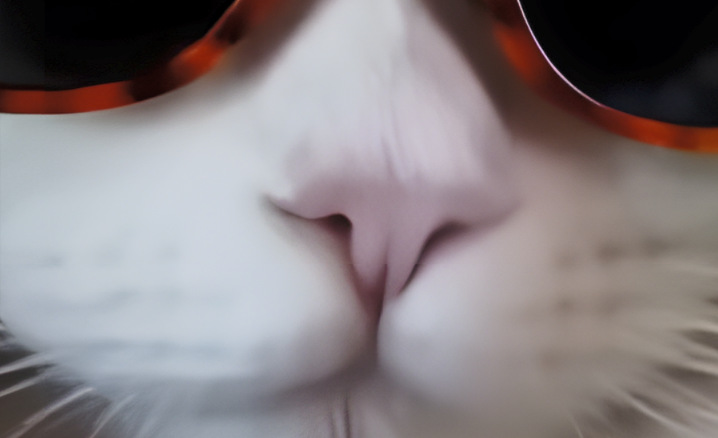
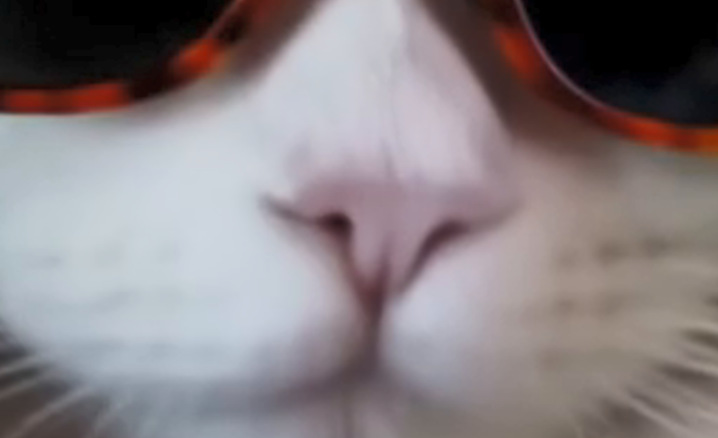
Old camera footage, family archives, low-res clips: get them clean on a 4K screen – with AI or the fast classic way. No upload, no account, no subscription.
The demo upscales the first 30 seconds of your own video – every method, every setting, no account.
A 100% crop from a real clip. Drag the handle to compare.
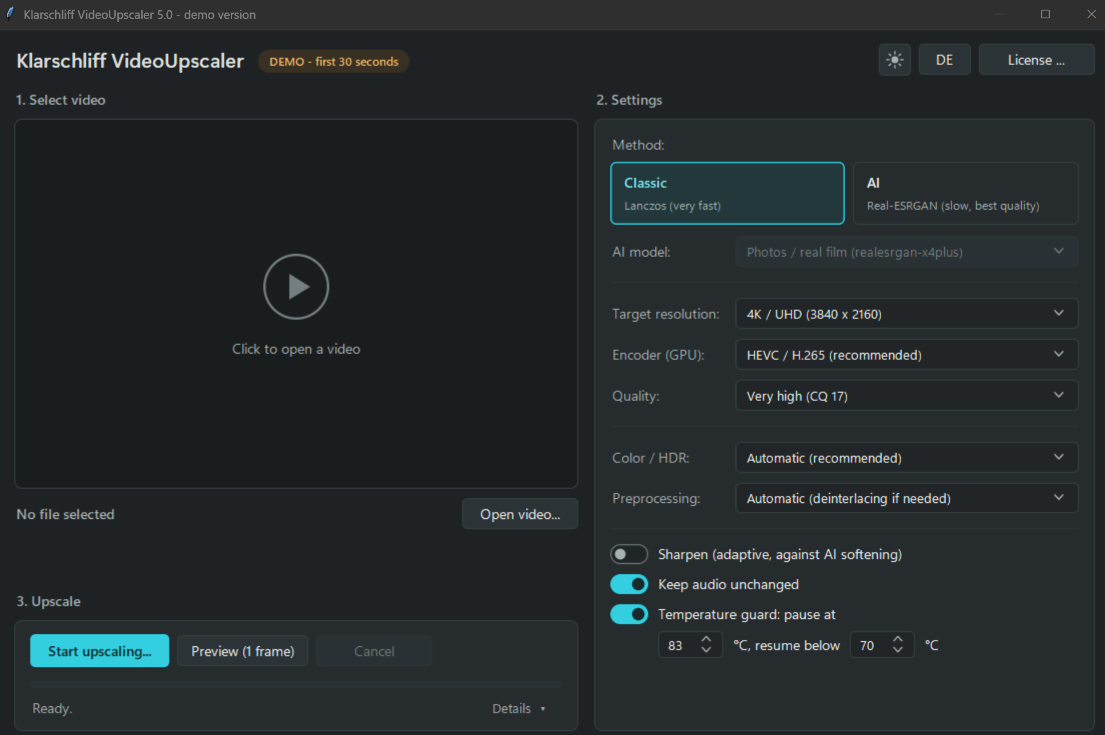
No timeline, no project files, no render queue to learn.
Start the program and pick the file you want to upscale.
AI (Real-ESRGAN) for detail or Lanczos for speed, target resolution up to 4K/UHD. The defaults are sensible.
Check a single upscaled frame before you commit to the full run. Then let it work – the temperature guard watches the GPU.
Two ways to the goal – and a guard that makes long, unattended runs possible.
Real-ESRGAN for photos and live footage when detail matters – or classic Lanczos when you need it fast.
Target resolution up to 4K/UHD (3840×2160). The model reconstructs edges and surfaces instead of just enlarging.
Pauses the upscaling when the graphics card gets too hot and resumes once it has cooled down. You set both thresholds.
Upscale a single frame first and judge the result, instead of finding out after a long run.
Encodes to HEVC/H.265 on the GPU, with a selectable quality up to "very high" (CQ 17).
Colour space and HDR are set automatically to match; deinterlacing is applied where needed.
The audio track is carried over unchanged – no re-encoding, no loss of sound quality.
Adaptive sharpening counteracts the soft look that AI upscaling can leave behind. Off by default.
No installer and no Python. One free helper is needed once.
Get the demo and unpack the ZIP anywhere you like. There is nothing to install.
FFmpeg is the free, open-source engine that reads and writes video files. Open Windows Terminal and run:
winget install Gyan.FFmpeg
Launch VideoUpscaler and open a video. The demo and the full version are the same program; a licence key unlocks the full length.
The most common job – video cleanly to 4K – without a monthly or yearly bill.
| Klarschliff VideoUpscaler | Topaz Video (formerly Topaz Video AI) | |
|---|---|---|
| Price | €39 one-time | subscription · e.g. $59/month (Topaz Video) or $399/year (Topaz Studio) |
| Ongoing cost | none | monthly or yearly |
| Upscale to 4K / UHD | ✓ Real-ESRGAN (AI) & Lanczos | ✓ several AI models |
| GPU temperature guard | ✓ pauses on overheating | — |
| HEVC/H.265 on the GPU | ✓ up to CQ 17 | ✓ |
| Operation | one clear, focused workflow | extensive pro interface |
| Scope | focused on upscaling | very broad: also interpolation, denoise, stabilisation |
| Free trial | ✓ first 30 seconds | ✓ preview/trial |
Honestly: Topaz Video is the more comprehensive pro tool. Klarschliff VideoUpscaler does the most common job – getting video cleanly to 4K – for a one-time €39. If that's exactly what you need, the choice is easy. The full comparison →
Topaz pricing as listed on topazlabs.com/pricing, November 2026, without guarantee · Topaz Video is a trademark of Topaz Labs, Inc. · no affiliation or partnership implied.
A fair question. Here is the straight answer.
| Klarschliff VideoUpscaler | Video2X | |
|---|---|---|
| Price | €39 one-time | free · open source (AGPL-3.0) |
| AI upscaling | Real-ESRGAN (x4plus) | Real-ESRGAN, Real-CUGAN, Anime4K |
| Frame interpolation | — | ✓ RIFE |
| GPU temperature guard | ✓ pauses and resumes by itself | not a listed feature |
| Help when stuck | email to the developer | community · GitHub issues |
| Platforms | Windows 10 / 11 | Windows, Linux |
Honestly: Video2X is a good project and uses the same Real-ESRGAN model family. If you want anime models or frame interpolation and enjoy tuning settings, use it. Klarschliff VideoUpscaler is for the other case: one window, sensible defaults, a guard for long unattended runs, and a person who answers your email.
Video2X details from its GitHub README (version 6.4.0), November 2026, without guarantee · no affiliation implied.
No. Everything runs locally on your Windows PC. There is no upload, no account and no cloud.
No. €39 once, VAT included. There is no monthly or yearly fee.
It upscales the first 30 seconds of your video with every method and setting. You judge speed and quality on your own footage before you decide.
For the AI method a GPU with Vulkan helps (NVIDIA, AMD or Intel). Without a strong card you use the fast classic Lanczos method. The temperature guard looks after the GPU.
That depends on your GPU, the length of the video and the method. The AI method is much slower than Lanczos. The honest way to find out is the demo: run 30 seconds of your own footage and look at the clock.
FFmpeg is the free, open-source engine that reads and writes video files. You add it once with a single command: winget install Gyan.FFmpeg
You pay securely through Polar, the merchant of record – invoice and VAT included. The personal licence key arrives by email. Paste it into the program and the 30-second limit is gone.
No. VideoUpscaler is a Windows program for Windows 10 and 11, 64-bit.
Write to kontakt@klarschliff.de. English is fine.
The demo upscales the first 30 seconds – with every method and setting. Buy only if the result convinces you.